Sunday, October 10, 2010

Configuring Oracle Access Manager 11g

This post covers the Configuration part of Oracle Access Manager 11g. To know about installing and configuring the Oracle Identity and Access Management 11.1.1.3, check the previous post .

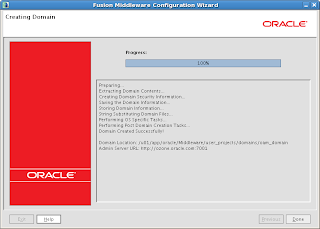
Configuring Oracle Access Manager 11g contains the steps for creating a WebLogic domain which has OAM Admin Server, EM consoles etc., deployed in WebLogic server.

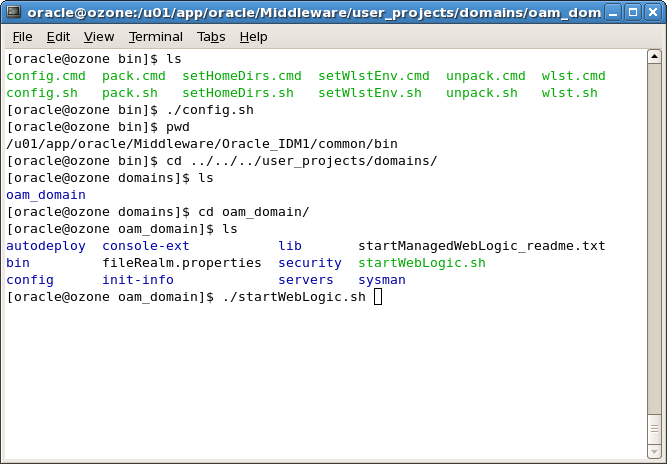
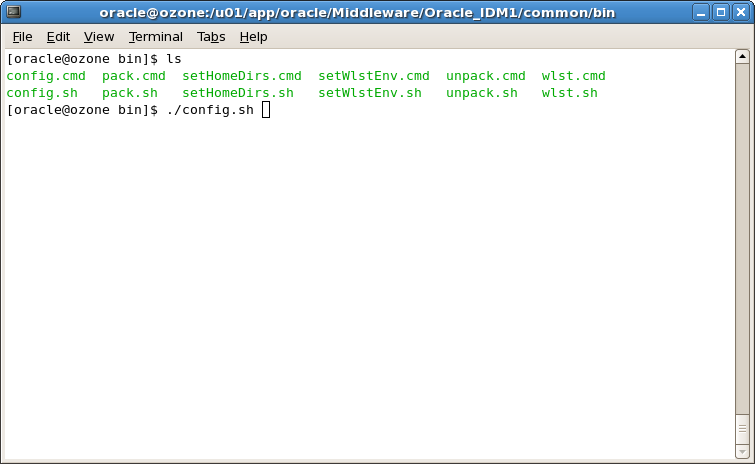
First step is to run the config.sh present in the location /common/bin.
 We are just configuring the OAM alone, hence we have selected Oracle Access Manager with Database Policy Store.A database policy store offers more security measures that can be layered based on the storage, thereby ensuring higher resiliency to corruption and better high availability. We have also selected Oracle Enterprise Manager here.
Note:
When you select the Oracle Access Manager with Database Policy Store - 11.1.1.3.0 [Oracle_IDM2] option, the Oracle JRF - 11.1.1.0 [oracle_common] option is also selected, by default.

 Specify a Domain name.
 Specify the weblogic user password.

 Specify the Service Name of the database, database hostname, database port. Select the OAM Infrastructure component for configuring the JDBC schema.
 Test the JDBC connection.


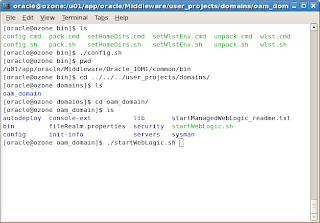
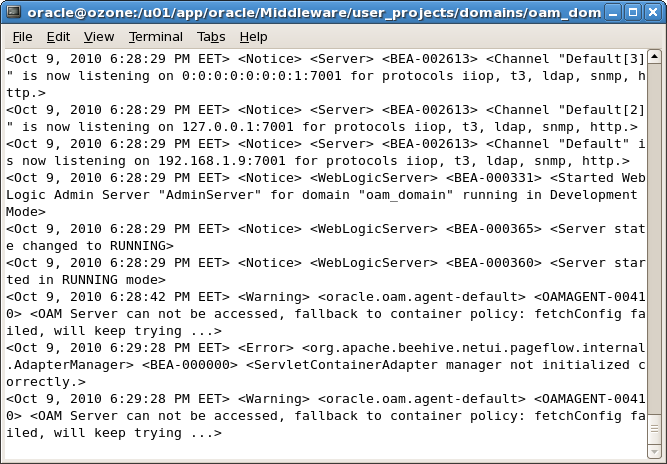
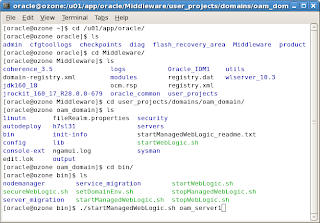
Start the WebLogic admin server using startWebLogic.sh present in the location Oracle_Home/user_projects/domains/oam_domain


Access the WebLogic administration console, http://host:port/console
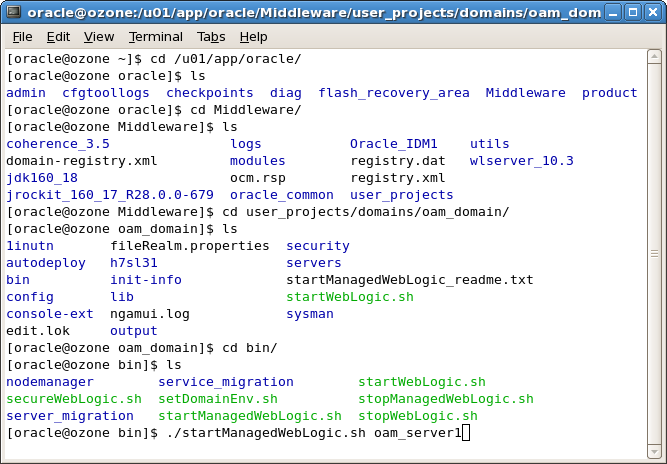
 Start the OAM Access Server, run startManagedWebLogic.sh with parameter as oam_server1 as shown below.
Access the OAM console using http://host:port/oamconsole. Login as weblogic user.
This completes the OAM Configuration and now you can play with this product.


Saturday, October 9, 2010

Step by Step installation of Oracle WebLogic Server 10.3.3

This post covers the installation part of Oracle WebLogic Server 10.3.3. 


Installing Oracle Identity and Access Management Suite 11.1.1.3.0

I have covered the installation part of Oracle Identity and Access Management suite 11.1.1.3.0 with screenshots.


The pre-requisites before installing this product are:
  1. WebLogic Server 10.3.3 should have been installed.
  2. Oracle Database above 11.1.7.0+ or 11.2.x should have been installed
  3. Created schema for Oracle Access Manager using RCU.
Please note that while installing the Oracle IAM 11.1.1.3.0, an Oracle Home should be specified. This directory is the same as the Oracle Home created in the Oracle WebLogic Server installation. If you specify a different home location, the Installer displays a message and prompts you to confirm whether you want to proceed with the installation of only Oracle Identity Manager Design Console and Oracle Identity Manager Remote Manager. These two components of Oracle Identity Manager do not require a Middleware Home directory.
If you want to install only Oracle Identity Manager Design Console or Remote Manager, you do not need to install Oracle WebLogic Server or create a Middleware Home directory on the machine where Design Console or Remote Manager is being configured.

Now, let us proceed with installation screens directly.


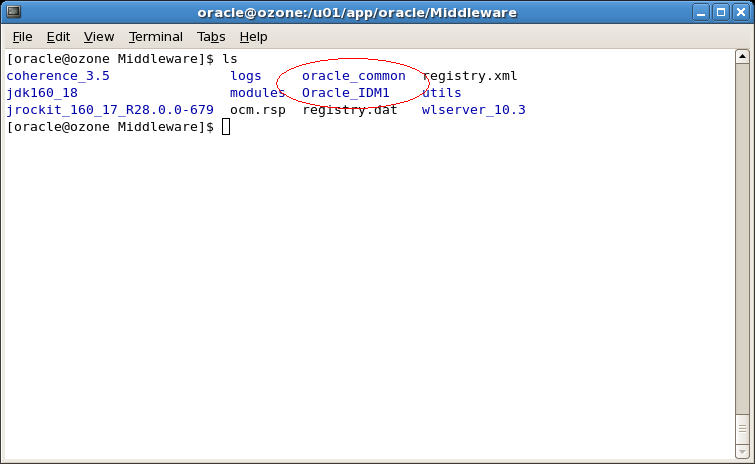
Let us see the folders that gets created in Oracle Home location.

A folder called Oracle_IDM1 gets created and this is the IDM home.
Next step is to configure the Oracle Access Manager by creating WebLogic domain which will be covered in a seperate post.

Installing Oracle Database 11g R2 (11.2.0.1.0)

First time ever, I have installed an Oracle Database and have given few important screen shots in this post.
You can download the database 11.2.0.1.0 software here.


Tuesday, August 31, 2010

Oracle Access Manager integration with BPEL worklist

This is a new task that I accomplished recently with lots of ups and downs. The objective is to achieve Single Sign-on or authentication of BPEL worklist using Oracle Access Manager.

The various component versions are:
1. OAM 10.1.4.3
2. BPEL Process Manager 10.1.3.4
3. Oracle Single Sign-on 10.1.4.3

There are 2 ways to integrate OAM with BPEL.
1. Direct integration using Access SDK
2. Using Oracle Single Sign-on

I followed the second approach as our environment is AIX and Access SDK is not availble for AIX servers. However, I would suggest first approach as OSSO is not a strategic product for single sign-on from 11g onwards and no further development will be carried upon OSSO.

Integration Process:
I am writing the procedue for integration using second approach.
The integration is divided into 2 bits. OSSO integration with BPEL and OSSO integration with OAM.
I have posted here in detail about the BPEL-OSSO integration. OSSO integration with OAM is avaiable in oracle by example here.

The hiccups and troubleshooting tips I used in this integration process are written here 1, 2.

Tuesday, August 3, 2010

OAM 11g is out

Much awaiting product Oracle Access Manager 11g is released along with few more products Oracle Adaptive Access Manager 11g, Oracle Identity Manager 11g on 20th July.

Software downloads of Oracle Identity and Access Management (11.1.1.3.0) , Oracle Access Manager WebGates (11.1.1.3.0) are available here.
Documentation for the same is available here.

Soon I will come up with more posts working on Oracle Access Manager 11g.

Monday, August 2, 2010

Is WebLogic Server needs to be integrated with Oracle Access Manager always?

I have had this question in my mind for a while that whether WebLogic Server needs to be integrated with Oracle Access Manager always?
Well, No! It depends on what task needs to be achieved. It is apparent that in order to protect a sample application deployed in WebLogic Server using Oracle Access Manager, we need to integrate using Identity Asserter (a common method). If the weblogic application is just reading some header variables passed by front end system (which can be Reverse Proxy) and if the WebLogic server can be configured with Provider that communicates to backend of Oracle Access Manager to fetch the user/group for role membership to set the user subject then Integration is not required.

My research results are:
You have very simple application (that just reads http header variables) deployed on WebLogic Server. A security provider (Authenticator) needs to be created in WebLogic realm to talk to OAM user directory (an LDAP). Employ a Reverse proxy in-line with WebLogic server with a WebGate on it. Assume you have protected the application using an authentication scheme in OAM.
When you access the application, Oracle Access Manager prompts for login details. After OAM authenticates and authorizes the user, the control reaches the WebLogic server where the principal will be set and the Authenticator fetches for group membership details to set the WebLogic user subject. This means that user authenticated by the OAM will be present (part of) in WebLogic Server.
Next research would be to test the sample application, but this time I am going to take the userid from container rather than taking it from header variable.

So keep tuned to this blog for more interesting topics!