Showing posts with label OAM 11g. Show all posts

Friday, June 8, 2018

Best practices for Oracle Access Manager deployment

Readers,

It is very important to follow best practices for OAM deployment for either single DC setup, or MDC setup or HA functionality etc., Some of the best practices are mentioned below and I will keep updating this post based on comments/feedback.

  1. Verify the certification matrix for OAM deployment before beginning installation.
  2. Use the latest Java, WebLogic Servers based on certification matrix.
  3. Use the same path for Weblogic Home, Oracle Home and Oracle Common Home across environments.
  4. For WebServers, use environment specific instance names rather than default names. For eg., while installing and configuring OHS instances, the default instance name is ohs1. It is suggested to use name denoting environment name and server name such as DEV_OHS1 or PROD_OHS1. 
  5. For WebServers in HA, if you are installing OHS on multiple boxes then it is suggested to use different OHS instance names. For eg., PROD_OHS1 (on 1st box), PROD_OHS2 (on 2nd box). This will help associating OHS instances with unique instance names in EM console for monitoring purpose. 
  6. Ensure that Non-Prod (or QA) and Prod environments identical for all IAM components in order to reproduce Production issues and make future deployments easier and better for operations.
  7. Ensure to configure OMSM, Policy Manager and OAM servers in different clusters during initial WebLogic domain configuration.
  8. Use load balancers for backend LDAP servers for user store. 
  9. Use custom authentication plugins only as per needs. Custom Plugins have maintenance nightmares for Ops team. 
  10. Schedule regular backups for oam-config.xml, policy exports and partners export along with DB backups.
  11. While configuring user store, specify Referral policy as FOLLOW. Also, specify Min/Max pool size and timeout parameters as per load testing results. 
  12. Selectively configure required audit events only.  
  13. Avoid creating sample cgi or server side pages that would print headers information. For eg., cgi-bin/printenv script is a common script that's protected through OAM for validation purpose. After Production go-live, remove those test pages. 
  14. Exclude images, css files and other static contents in policies instead of using Unprotected policies. 
  15. Try to update WebLogic CPU patches and JDK CPU patches based on sensitivity of the fixes. Thorough testing is required before pushing these patches to Production. Sometimes these patches may break OAM functionality. 
  16. Use similar RCU versions across environments.
  17. Use certain security headers X-XSS-Protection, Strict-Transport-Security etc., in Login WebGate WebServers for better protection. 
  18. Use Log rotation for OAM and other WebLogic servers to prevent complete disk usage. 
  19. Ensure that only required firewall ports are opened to and from OAM servers instead of opening it through entire subnets. This is to provide better security.
  20. Use WebGate CERT mode only if needed otherwise it will degrade performance. 
  21. Use SSL at Node Manager and WebLogic Servers are only as needed. 
  22. Ensure that Login WebGate has SSL enabled.
  23. Ensure that 3rd party cert is used for OAM deployment in Prod and non-prod environments. 
  24. Do periodic rolling restarts of OAM server for better system performance.
  25. Associate OHS and OAM components with EM 12c for performance and system alerts.
  26. Use Min / Max Heap size for OAM tuning. 
  27. Use appropriate number of processes, sessions etc., parameters in OAM DB schema.
  28. If there are more IAM components in the architecture, it is suggested to use separate DB for OAM component since OAM uses APS for MDC synchronization where as other products requires DG or GG.
  29. Ensure to grant admin privileges to LDAP users for OAM console instead of giving generic administrative access to all users.  


 That's it for today. Happy reading!! 

Saturday, May 12, 2018

PasteConfig failed in OAM MDC

Do you have OAM, OMSM and Policy Manager servers in your environment? Are they all tied to same OAM WebLogic cluster or different clusters?

Well, the recommended approach is to tie respective weblogic server to respective cluster. Therefore, OAM servers should be associated with OAM Cluster, OMSM servers should be with OMSM cluster and so are Policy manager servers.

This post will explain about an issue that you may come across when WLS servers are associated in their respective cluster.

I will skip the steps for T2P commands on the Master DC as they are not relevant to this post. After running extraceMovePlan.sh script on Clone DC, it generates moveplan.xml which is the basis for pushing configurations into Clone DC and creating weblogic domain.

moveplan.xml contains server details and cluster details etc., for OAM servers, OMSM servers and Policy Manager servers.

The default xml template would look like as shown below.


With this moveplan.xml, pasteConfig is failed.

After commenting out the omsm and policy manager server definitions in moveplan.xml, pasteConfig has worked.

Also, the weblogic domain was created for omsm and policy manager servers even though it was commented in moveplan.xml.

Friday, May 4, 2018

Specifics of Multi Data Center using Oracle Access Manager

Readers,

This is a very generic post for understanding some specifications of designing and implementing Multi Data Center solution using Oracle Access Manager.


  • If you are designing an IAM solution in a single Production data center involving multiple IAM products, then it is mandated for separate Database for OAM component alone. This is because OAM uses Automated Policy Synchronization feature to sync artifacts/policies from Master to Clone DCs without the need of database replication unlike OIM and OAAM etc., Therefore, if OAM and other products are using same database then OAM database should be separated before deploying a new OAM data center. 
  • In a typical IAM deployment, login pages are either served from OAM or through DCC. In both case, front end web server is employed with WebGate. It is preferred to use Global LBR for OHS data center along with load VIP. Therefore, a global LBR will also be assigned as OAM server hostname. If N number of data centers are added in the future, a new local LBR can be assigned to Global LBR without changing the OAM hostname.
  • It is advised to employ Global LBR for OAM servers (default 5575 TCP port) for WebGates to OAM server connections. 
  • Server affinity and sticky session is mandatory for all Global LBRs in a MDC solution. 
  • OAM to database connection should have direct connection instead of Global LBR for all databases since each OAM talks to its respective DC database.
  • In the event of using Virtual Host concepts at web server layers, it is advised to have Global LBR with sticky session and server affinity for OAM server 14100 port too. 
  • OAM LBR for 5575 port should be TCP and OAM LBR for 14100 port should be HTTP.
  • If mod weblogic plugin is used in the deployment for MDC, it is advised to use OAM LBR for 14100 port using WebLogicCluster parameter. Some of the nuances of using WebLogicHost and WebLogicCluster for mod weblogic plugin will be explained in detail in separate post.
  • Before running T2P commands on Master DC, it is mandated to remove IAMSuite agent password and mark Embedded LDAP as system /default stores.
  • In an MDC solution, Primary DC OAM is designated as Master thus allowing write operations only in this OAM server. All the policy updates from Master DC will be pulled into Clone DCs using APS feature.
  • When a new DC to be brought into the existing MDC deployment, perform T2P on master DC to generate binaries rather than using old T2P binaries because something might have changed since initial T2P deployment. 
  • Ensure to run pasteConfig and pasteBinary only on Administrator node of OAM component and use pack/unpack for other OAM nodes.
  • It is usually recommended to have single Middleware on a host to avoid jar conflicts etc., even though we had seen OAM and OUD binaries co-existing on same Middleware. 
  • It is always advised to add a new OAM server on separate host instead of adding OAM server on an existing OAM host as this would provide better CPU and server performance. However, this can be decided after thoroughly analyzing performance metrics. 
  • Attain due diligence with Transformation rules as incorrect rules or incomplete rules will result in abnormal behaviors and corrupt the Clone DC environment in the worst scenarios. Thus, thorough testing with APS is required.
  • Session control parameters define the user behavior during run time in an MDC deployment. Therefore, thoroughly test the MDC solution using these parameters. Below parameter values allow users to access SSO protected applications even though the sessions are created in Remote OAM DCs by creating local sessions in the event of session retrieval failures. 
          SessionMustBeAnchoredToDataCenterServicingUser=true
          SessionDataRetrievalOnDemand=false
          Reauthenticate=false
          SessionContinuationOnSyncFailure=false

  • Designing Global LBRs at every component OHS, OAM and LDAPs will provide 100% high availability and failover even when one of the component in a data center fails. 
  • Ensure that firewall connectivity is open from one DC component layer to all other DCs as cross over functionality.
  • Perform the load testing in MDC deployment before going live as this will provide the SLAs and response time for each and ever component and its LBR to fail over to other available local VIP.  
  • There is no MDC support for OAM OAuth tokens. Therefore oauth access token generated in one data center is not validated by remote DC. 

As always, TEST, TEST , TEST the component MDC solution. 

Thursday, May 21, 2015

Upgrading OAM from 11gR2 PS2 to 11gR2 PS3

In my previous posts, I have shared information about documentation and binaries of PS3 release. In this post I would like to briefly share my experiences of upgrading OAM from PS2 to PS3.

I have WebLogic 10.3.6 and JRockit 6 before upgrade and there is no change in those components even after upgrade.

Here are the pre-requisites required before upgrade:

  1. Backup Middleware home and Policy database/schemas.
  2. Stop all weblogic servers.


Here are the high level steps upgrading OAM to PS3 in a pure OAM 11g environment (without involving OAAM/OES etc.,).


  1. Upgrade OAM binaries to PS3 : This step is a typical OAM installation process and it installs all binaries that are part of IAM package. Ensure that below screen appears that implies binaries are upgraded successfully.
  2. Upgrade OAM, IAU and OPSS schemas : This step upgrades OPSS, IAU and OAM schemas to latest version to be compatible with OAM PS3 binaries. Verify the schema versions post upgrade, find the below screenshot.
  3. Upgrade OPSS : This step upgrades the OPSS with configuration and policy stores to PS3. It upgrades jps-config.xml and policy stores. Note that it does not upgrade the OPSS schema which was upgraded in previous step already.
  4. Undeploying Coherence : This step un-deploys Coherence module from OAM deployment. 
  5. Upgrading System Configuration : This step is required to enable the PS3 features in OAM deployment. Ensure that message "System Configurations have been successfully upgraded to version: 11.1.2.3.0" in the end of script output.
If you intend to use Federation in Oracle Access Management then follow the below steps to enable it.
  1. Goto <>/common/bin
  2. Run the wlst.sh command
  3. Connect to admin server.
  4. Connect to domainRuntime()
  5. Run the command upgradeFedSTS111230(). Ensure that message "command was successful" was displayed as shown in below screenshot.


Post Authentication rules are disabled by default. If you intend to use it, enable them by following below steps:
  1. Login to OAM Admin Console.
  2. Select Configuration
  3. Select Available Services.
  4. Enable Adaptive Authentication Service as shown below.


Login to OAM Admin Console to see the new look and feel :)


I will talk about my experiences with PS3 and its features in the future posts. 

Thursday, January 15, 2015

OAM 11g : System error after DCC tunneling authentication

Hi All,

My apologies for taking long time to write a post in this blog. Better late than never. Today I'm writing about an issue we encountered in OAM 11g.

Our environment is OAM 11gR2 PS2 BP03 and we have tunneling enabled at DCC Webgate. An OHS application is protected using DCC tunneling authentication scheme (I will explain the DCC tunneling in a separate post). When the user access the OHS application, a login page is displayed and user submits credentials. Post authentication, instead of redirecting to OHS application, System error message is displayed.

I'd ensured that credentials are correct, back end user identity store is running fine.

I'd seen below exception in OAM Server diagnostic logs:

oracle.security.am.pbl.protocol.plugin.oam.AMFailureResponseHandler] [SRC_METHOD: processResponse] OAM-02073[[
oracle.security.am.common.utilities.exception.AmRuntimeException: OAM-02073
at oracle.security.am.engines.enginecontroller.AuthzEngineController.checkProtected(AuthzEngineController.java:614)
at oracle.security.am.engines.enginecontroller.AuthzEngineController.processEvent(AuthzEngineController.java:199)
at oracle.security.am.controller.MasterController.processEvent(MasterController.java:596)
at oracle.security.am.controller.MasterController.processRequest(MasterController.java:788)
at oracle.security.am.controller.MasterController.process(MasterController.java:708)
at oracle.security.am.pbl.PBLFlowManager.delegateToMasterController(PBLFlowManager.java:209)
at oracle.security.am.pbl.PBLFlowManager.handleBaseEvent(PBLFlowManager.java:147)
at oracle.security.am.pbl.PBLFlowManager.processRequest(PBLFlowManager.java:107)

I'd ensured that Authentication scheme is correct as the same setup was working in other environment.

I'd come across an article 1578776.1 talking about similar exception but it was in OAM 11gR1 and for custom Login page. In our case, we are using default login page served from OAM Server.

I did see that OAM Server could not redirect to the requested URL post authentication as I don't see OAM_REQ cookie in /oam/server/auth_cred_submit http request.

I remembered a setting in oam-config.xml "serverRequestCacheType" which takes BASIC, COOKIE and FORM values.

Currently it is set to FORM in a non working environment. FORM value means, the OAM_REQ token has to be returned to OAM Server in Login page. COOKIE value means, only userid and password along with request_id has to be returned to OAM server in login page. Since we are using default login page, only userid and password are returned to OAM Server.

Therefore with FORM value setting, OAM Server authenticates the user but does not know the requested URL or data containing original requested URL and it throws System Error.

Fix:

  1. Stop the OAM servers (managed + admin).
  2. Take backup of oam-config.xml
  3. Change the value serverRequestCacheType from FORM to COOKIE.
  4. Change the Version (increment with 1).
  5. Start OAM Servers.
Retest the scenario and you will see that user is redirected to original requested URL. 


Please leave your comments.


Thursday, October 4, 2012

DCC in OAM 11gR2

I did not get chance to work on OAM 11g R2 yet, but one of my friends were asking couple of weeks ago about DCC in OAM 11g.
DCC stands for Detached Credential Collector which is a new feature introducted in 11gR2, not available in 11gR1.

I've read an article about this feature which looks simpler to me. You can learn this too http://fusionsecurity.blogspot.com/2012/10/dcc-configuration-11gr2.html

Its Oracle Documentation is here.

Tuesday, August 14, 2012

OAM 11g - Apex 4.1.0 Integration

I wrote a post on OAM 11g integration with APEX 4.1.0 application here. Hope this is helpful.

Friday, July 20, 2012

Oracle Access Manager patch numbers

You can find Oracle Access Manager patch numbers for any of the versions like 10g, 11g and so on here
 Metalink note: 736372.1

Thursday, July 19, 2012

Oracle Access Manager 11g is certified with Sharepoint 2010 server

One of the much awaited integrations in OAM 11g queue is Sharepoint 2010 server. Well, there is a good news and it is certified now. Check out the certification matrix.
Please contact me for integration documents.


Tuesday, July 17, 2012

Configure Node Manager for OAM Server 11g

Hi All,

Today I am going to explain the steps for configuring node manager for OAM Server 11g. In fact these steps can be used to configure node manager for any of the other managed servers too.

Before I get into the actual topic, let me explain you what a Node Manager is. Node Manager is a java utility tool that allows you to perform common operation tasks on Managed Servers. In a typical production environment where managed servers are distributed across geographic locations the Managed Servers can be operated from a single place called Node Manager.

Let's see how we can do this.
  1. Create a machine where Managed servers are running. If there are 3 managed servers present in a cluster, then 3 machines with respective hostnames has to be created in WebLogic Admin console. Specify the machine name as you like, but should be meaningful :)
  2. Specify the Type of Node Manager and machine hostname and listening port that the node manager has to communicate with.
  3. Specify a Managed server to associate with this machine.
  4. Execute the setDomainEnv.sh script and connect to WebLogic Admin server using WLST java command.
  5. Execute nmEnroll script to enroll the node manager for a specific weblogic domain
  6. Edit the nodemanager.properties file and set parameter SecureListener=false. This file is located at $MW_HOME/wlserver_10.3/common/nodemanager
  7. Start the node manager using script startNodeManager.sh located at $MW_HOME/wlserver_10.3/server/bin. Wait for the message "Plain socket started listener on port 5556". You will see the port that was specified in step 2.
  8. Goto WLS Admin console and check the status of Node Manager in the machine.
  9. Now, its time to start managed server using node manager. Goto WLS Admin console and traverse to Environment -> Servers -> oam_server1 -> Control. Goto the end of the page and select the checkbox and click Start.
  10. Wait till the status appears RUNNING.

Friday, June 17, 2011

OAM 11g is certified with EBS 12

Oracle Access Manager 11gR1 (11.1.1.3) is now certified for use with E-Business Suite Releases 12.0.6 and 12.1.1 and above.
Here are the details Integration Certification Details.

Impersonation feature is not available in OAM 11g WebGates

If you are using .Net based applications to be protected by OAM 10g, you can certainly do it with IIS WebGates without custom coding/filters. This can be achieved using Impersonation feature in OAM 10g WebGates. However if you are using OAM 11g WebGate, impersonation feature is not available/supported.
In this case, the best way to approach is to use 10g WebGate with OAM 11g. I have read a beautiful post here on the same.

Wednesday, June 15, 2011

OAM 11g integration with OBIEE 10g for Single Sign-On

I have already done a detailed write up on Oracle Access Manager 10g integration with OBIEE 10g for Single Sign-On here.
I have read another post here that has detailed description about Oracle Access Manager 11g integration with OBIEE 10g.  That was pretty good!!

In fact I could not notice much difference with the integration steps with OAM 10g and OAM 11g.

Tuesday, June 14, 2011

Oracle Portal 11g is not certified with OAM 10g

Please be aware that Oracle Portal 11g is not certified with Oracle Access Manager 10g, please read the OAM 10g FAQ here. The certified version is OAM 11.1.1.4 and Oracle Portal 11.1.1.4.0. For more information, please read the detailed post here written by me.

Sunday, October 10, 2010

Configuring Oracle Access Manager 11g

This post covers the Configuration part of Oracle Access Manager 11g. To know about installing and configuring the Oracle Identity and Access Management 11.1.1.3, check the previous post .

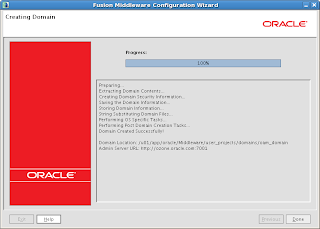
Configuring Oracle Access Manager 11g contains the steps for creating a WebLogic domain which has OAM Admin Server, EM consoles etc., deployed in WebLogic server.

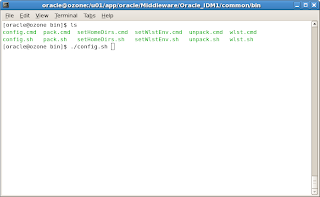
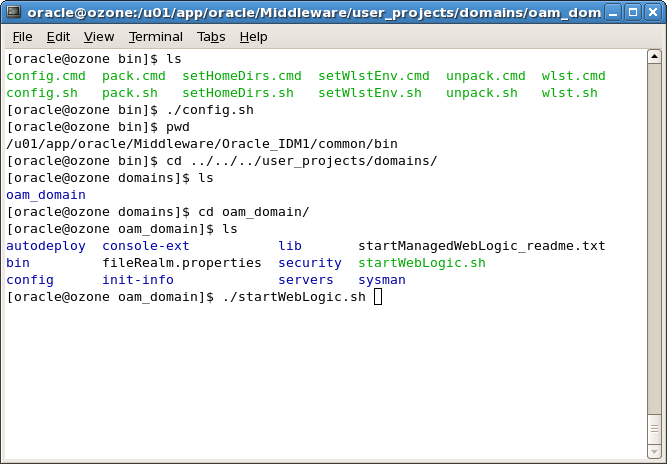
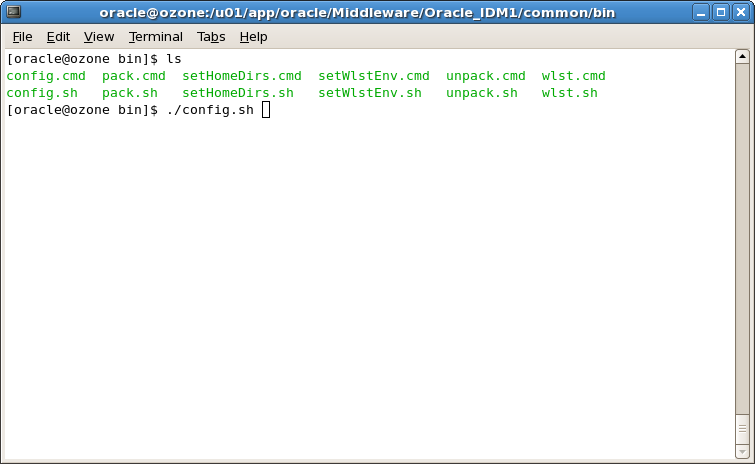
First step is to run the config.sh present in the location /common/bin.
 We are just configuring the OAM alone, hence we have selected Oracle Access Manager with Database Policy Store.A database policy store offers more security measures that can be layered based on the storage, thereby ensuring higher resiliency to corruption and better high availability. We have also selected Oracle Enterprise Manager here.
Note:
When you select the Oracle Access Manager with Database Policy Store - 11.1.1.3.0 [Oracle_IDM2] option, the Oracle JRF - 11.1.1.0 [oracle_common] option is also selected, by default.

 Specify a Domain name.
 Specify the weblogic user password.

 Specify the Service Name of the database, database hostname, database port. Select the OAM Infrastructure component for configuring the JDBC schema.
 Test the JDBC connection.


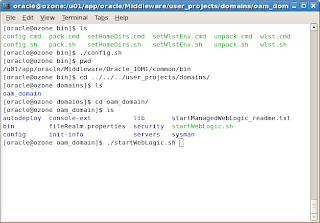
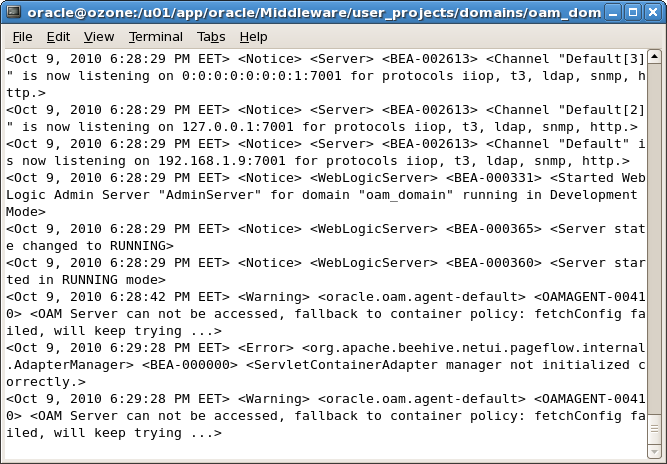
Start the WebLogic admin server using startWebLogic.sh present in the location Oracle_Home/user_projects/domains/oam_domain


Access the WebLogic administration console, http://host:port/console
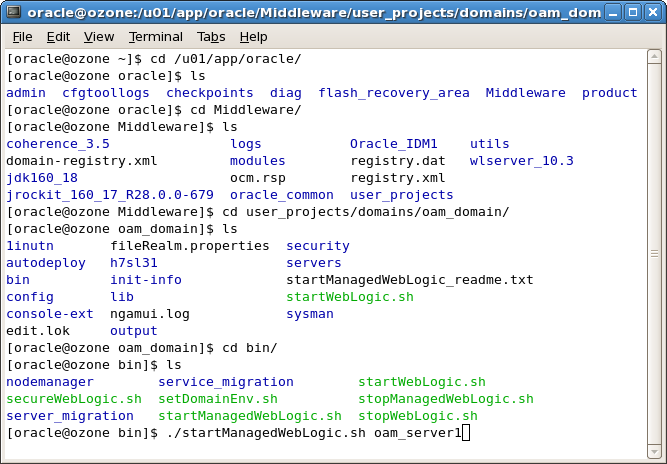
 Start the OAM Access Server, run startManagedWebLogic.sh with parameter as oam_server1 as shown below.

Access the OAM console using http://host:port/oamconsole. Login as weblogic user.
This completes the OAM Configuration and now you can play with this product.


Saturday, October 9, 2010

Installing Oracle Identity and Access Management Suite 11.1.1.3.0

I have covered the installation part of Oracle Identity and Access Management suite 11.1.1.3.0 with screenshots.


The pre-requisites before installing this product are:
  1. WebLogic Server 10.3.3 should have been installed.
  2. Oracle Database above 11.1.7.0+ or 11.2.x should have been installed
  3. Created schema for Oracle Access Manager using RCU.
Please note that while installing the Oracle IAM 11.1.1.3.0, an Oracle Home should be specified. This directory is the same as the Oracle Home created in the Oracle WebLogic Server installation. If you specify a different home location, the Installer displays a message and prompts you to confirm whether you want to proceed with the installation of only Oracle Identity Manager Design Console and Oracle Identity Manager Remote Manager. These two components of Oracle Identity Manager do not require a Middleware Home directory.
If you want to install only Oracle Identity Manager Design Console or Remote Manager, you do not need to install Oracle WebLogic Server or create a Middleware Home directory on the machine where Design Console or Remote Manager is being configured.

Now, let us proceed with installation screens directly.


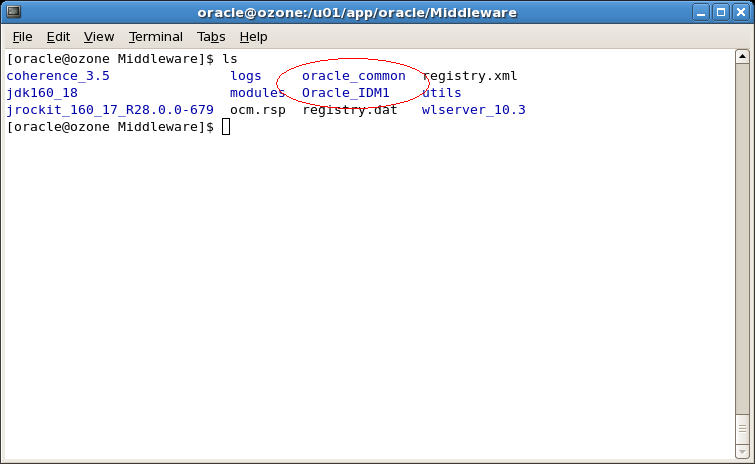
Let us see the folders that gets created in Oracle Home location.

A folder called Oracle_IDM1 gets created and this is the IDM home.
Next step is to configure the Oracle Access Manager by creating WebLogic domain which will be covered in a seperate post.